

Original AI rap · Works in your browser
Migos AI: Turn Two Photos Into a Rap Duet Video
Upload two photos and our Migos AI video generator writes an original rap and makes both people perform it in an orange studio.
Make your rap duet
Orange studio, hanging mic, original AI rap.
Leads the verse and gets the closest lip sync.
JPG, PNG or WebP · up to 10 MBFront-facing, well-lit photos work best.
Add two people first
By continuing, you agree to our Terms and Privacy Policy.
Uploaded photos are deleted after 24 hours.
Free: 3 booth photos per account. Videos use credits, and you see the price before you generate.
Not affiliated with Migos or COLORS. Only upload photos you have permission to use.
What is Migos AI?
Migos AI is the nickname for a viral video trend that puts any two people into an AI-generated rap duet, styled after Quavo and Takeoff's "Hotel Lobby" performance on A COLORS SHOW. You may also see it called Hotel Lobby AI or AI rap duo.
The Migos AI trend went viral in late September 2026. The look is easy to spot: an orange studio, a hanging microphone and two people trading lines. People swap in best friends, partners, parents and grandparents.
MigosAI is a tool made for this format. You upload two photos, it writes an original rap, and it animates both people performing it. It does not use the original "Hotel Lobby" recording, and it does not clone the voices of Quavo, Takeoff or Offset. MigosAI is not affiliated with Migos or COLORS.
Migos AI video examples
Each example below was made with MigosAI. The example performers are AI-generated people, not real ones. On the left are the source photos; on the right is the finished migos video.
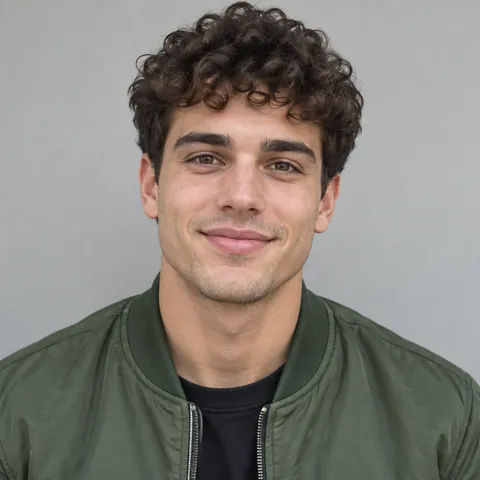
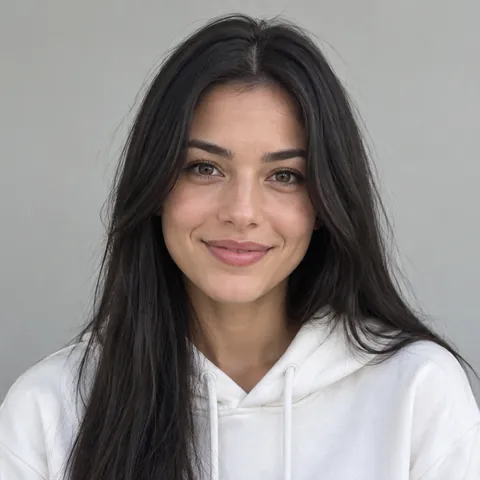
Two friends, one verse
Inputs: two selfies taken on different days. Settings: Hotel Lobby, HD, 10 seconds, 9:16, lead on the left.
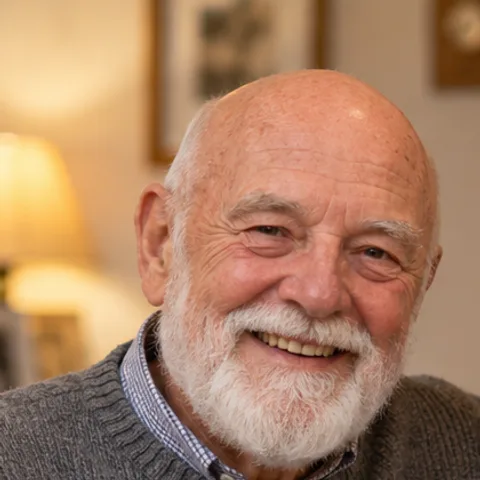
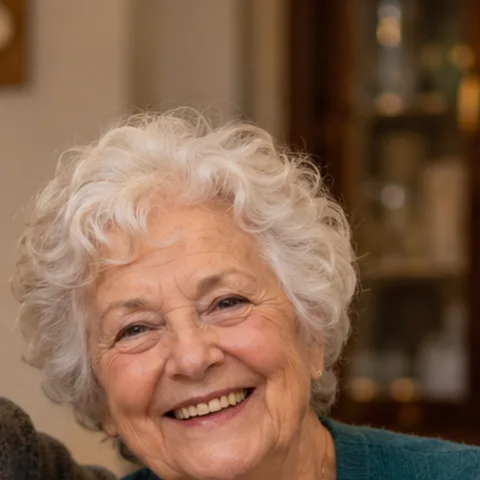
Grandparents in the booth
Inputs: one photo from a family dinner, cropped into two frames. Settings: Hotel Lobby, Standard, 8 seconds, 1:1, lyrics topic "our 50th anniversary".
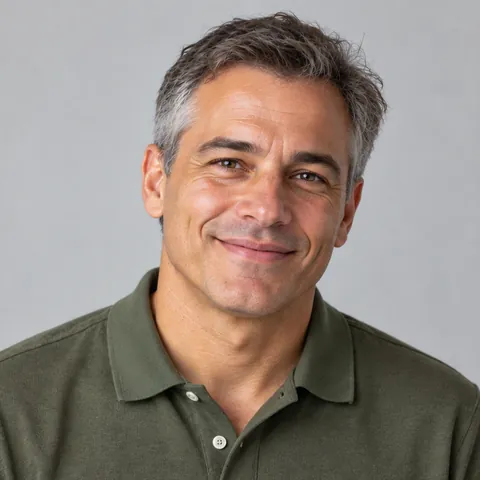
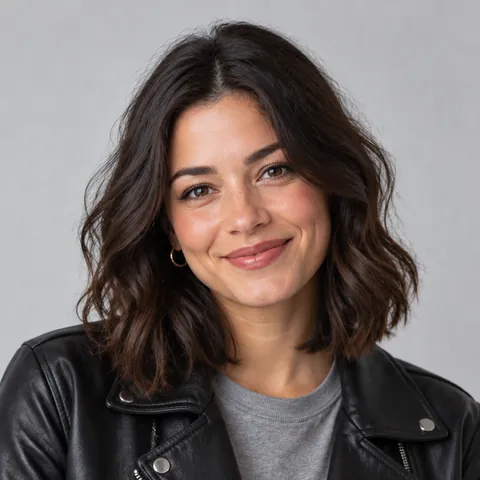
Dad and daughter, one take
Inputs: two portraits. Settings: Hotel Lobby, HD, 10 seconds, 9:16, lyrics topic "road trips with dad".
How to make a Migos AI video
An AI video tool animates two photos into the performance. Here that takes three steps in your phone or desktop browser, with no app to install.
Add your two people
Upload two portraits, or upload one group photo and drag a crop frame over each face. Then mark who leads.
Set up the performance
Keep the Hotel Lobby template. Using your own audio or your own video is coming soon. Pick Standard or HD, a length of 5, 8 or 10 seconds, and a format.
Preview free, then generate
Make a free booth photo to check faces and framing. When it looks right, generate the video. It takes about 5–10 minutes, and then you can watch it and download the MP4 from My Videos.
Why make your rap duet with MigosAI
Plan your performance
Two photos or one group photo
Use two separate portraits, or crop both faces out of one group shot. Handy when the only good photo of you two is together.
One template today, more coming soon
Hotel Lobby uses the orange-studio template. Your own audio, so they perform a clip you upload, and your own video, so they copy the moves from a short clip, are coming soon.
Direct the duo
Put the lead on the left or the right, keep the orange studio or take the background from the lead's photo, and add a short note for each performer.
Rap AI that writes to your topic
Give the lyrics a topic, like a birthday, an inside joke or a team win, and the AI writes an original verse around it.
Finish your video
Two quality tiers
Standard exports at up to 720p for quick tests. HD exports at up to 1080p, with sharper detail for the version you post.
Every length, every shape
Choose 5, 8 or 10 seconds in 9:16, 1:1 or 16:9. Format never changes the price.
See the cost first
The credit cost shows before you generate. If a generation fails, the credits go back to your balance automatically.
Download and share
Watch in the browser and download the MP4 from My Videos, with no watermark. Videos stay there for 30 days, so save the ones you want.
What you can create with Migos AI
A duet with your friend or partner
Put your best friend or partner in the booth with you. Two selfies are enough, and a lyrics topic like "road trip" or "our first date" makes the verse personal.
Your own audio, coming soon
Coming soon: upload an MP3 or WAV and both people perform it, which will suit a toast, a voice memo, or a verse you wrote yourself. Today MigosAI writes an original rap for your two people.
A birthday video from photos
Turn two old photos into a birthday shout-out. Set the lyrics topic to the person's name and age, pick 9:16, and send it the same day.
A music video with your footage, coming soon
Coming soon: upload a short clip and your duo follows its moves, a quick way to test an idea for your own track. Today, start from the Hotel Lobby template.
What results to expect
Clear, front-facing photos with even light work best. Side profiles, very small faces in a group photo, and harsh light such as a dark room or strong backlight can give weaker results.
Lip sync is strongest for the lead performer. The second person moves and reacts, but may match the words less closely. AI results also vary from run to run, so a second try is sometimes needed. A retry costs credits unless the generation failed, which is why the free booth photo comes first.
What does a Migos AI video cost?
The booth photo is free, with 3 per account. Videos use credits: a 5-second Standard video costs 5 credits and a 10-second HD video costs 20 credits. The exact cost always shows before you generate.
Credit packs start at $9.90 and never expire. Monthly plans renew until you cancel. See full pricing
FAQ
Information checked September 30, 2026.
Is Migos AI free?
Partly. Every account gets 3 free booth photos, which show your two people in the orange studio as a still image. Making the video costs credits, and the price shows before you generate.
Is the Migos AI song the real "Hotel Lobby" track?
No. The rap is original and AI-generated. MigosAI does not use the original "Hotel Lobby" recording and does not clone the voices of Quavo, Takeoff or Offset.
How long does a Migos AI video take?
About 5–10 minutes after you press Generate. When it is ready, you can watch it in the browser and download the MP4 from My Videos.
What photos work best?
Two clear, front-facing portraits in JPG, PNG or WebP, up to 10 MB each. Side profiles, tiny faces and very dark or backlit photos give weaker results.
Can I use my own song or voice?
Not yet. Using your own audio or a reference video is coming soon; today MigosAI writes and performs an original AI rap for your two people.
Which lengths and formats can I choose?
Lengths are 5, 8 or 10 seconds, and formats are 9:16, 1:1 and 16:9 at the same price. Standard exports at up to 720p and HD at up to 1080p. If Kling can't use your photos we switch to a backup model, which may render at a lower resolution.
How much does a video cost?
It depends on quality and length: a 10-second Standard video costs 10 credits and a 10-second HD video costs 20 credits. You pay by card through Waffo, and credit packs never expire.
What if a generation fails?
Your credits are refunded automatically. If the video finishes but you want a different take, the new try costs credits again, so check the free booth photo first.
Do I need an app?
No. MigosAI runs in mobile and desktop browsers. You sign in with Google to make booth photos and videos.
What happens to my photos?
Uploaded photos are deleted after 24 hours. Booth photos are kept for 7 days and videos for 30 days, so download anything you want to keep.
Is MigosAI connected to Migos or COLORS?
No. MigosAI is an independent tool and is not affiliated with Migos, Quavo, Takeoff, Offset or COLORS. The orange-studio scene is an original setup inspired by the trend.
Can I put anyone in a video?
Only people who agree to it. You must have permission to use both people's photos, and it is kind to ask before you post.
More ways to make it
Hotel Lobby AI video generator
Doing the trend with friends or family? Start from the trend page, with photo tips and settings you can copy.
Pricing
Credit costs for every tier and length, plus packs and plans.
Best Migos AI video generators
An honest side-by-side of tools that make this trend, compared on free tiers and price.
Make your Migos AI video
Start with a free booth photo to see your two people in the studio. Generate the video when it looks right.
Upload two photos3 free booth photos per account · Videos use credits